How to Optimize Images for Web in 2026 (Faster Pages, Better SEO)
A complete guide to image optimization in 2026: formats, compression, resizing, lazy loading, alt text, and CDN delivery for faster pages that rank higher.

- 1Images are the heaviest part of most pages, so optimizing them is the single biggest speed win available to any site.
- 2The 2026 workflow: right dimensions, modern format (WebP or AVIF), quality around 80, lazy loading below the fold, and descriptive alt text.
- 3Optimized images improve Core Web Vitals, rankings, and conversions together — this guide covers the complete pipeline step by step.
Images are the heaviest thing on almost every webpage. They routinely account for half or more of total page weight, which makes them the single biggest performance lever any site owner controls. A page that loads a 2MB hero photo where a 120KB version would look identical is not just slow — it is paying a ranking, conversion, and bandwidth tax on every single visit.
This guide covers the complete image optimization pipeline for 2026: choosing formats, sizing correctly, compressing without visible quality loss, loading strategically, and writing the metadata that makes images rank in search. Every step includes the practical numbers — target sizes, quality settings, and dimensions — so you can apply it today, whether you run a blog, a portfolio, or a store.
Why Image Optimization Matters More Than Ever
Three forces converge on your images in 2026:
Core Web Vitals judge them. Largest Contentful Paint (LCP) — how fast the biggest visible element renders — is usually an image. Cumulative Layout Shift (CLS) spikes when images load without reserved space. Both are ranking signals, and both are dominated by image behavior. Our website speed optimization checklist covers the full Vitals picture; this guide goes deep on the image half of it.
Mobile networks are the majority. Most traffic arrives on phones, often on inconsistent connections. A 3MB image that feels fine on office WiFi is a ten-second wait on a weak mobile signal — and a bounce.
Image search is real traffic. Properly described images rank in Google Images and increasingly feed AI search results. Sites that skip alt text and filenames are invisible to that entire discovery channel.
Step 1: Size Images to Their Display Dimensions
The most common waste is dimensional: uploading a 4000-pixel camera photo into a slot that displays at 800 pixels. The browser downloads five times the data and throws most of it away.
The rule: resize to the largest size the image will actually display, times two at most (for high-density screens). A blog content image displayed at 800px wide needs a source of at most 1600px. A thumbnail shown at 200px needs 400px. Nothing on a normal website needs 4000-pixel sources.
Check your current pages: right-click any image, inspect it, and compare the rendered size against the intrinsic size. Ratios above 2x mean you are shipping wasted bytes on every load.
Step 2: Choose the Right Format
Format choice in 2026 is simpler than the debates suggest:
- WebP — the default choice. 25 to 35 percent smaller than JPEG at equal quality, universally supported, handles photos and graphics well.
- AVIF — the quality leader. Another 20 to 30 percent smaller than WebP, now supported in all modern browsers. Encoding is slower, which matters for build pipelines but not for one-off exports.
- JPEG — legacy fallback only. Still fine, but there is no reason to export new images as JPEG when WebP exists everywhere.
- PNG — only for images requiring perfect sharpness with few colors: logos, screenshots with text, diagrams. Never for photos.
- SVG — always, for icons and simple illustrations. Vector files scale infinitely at tiny sizes.
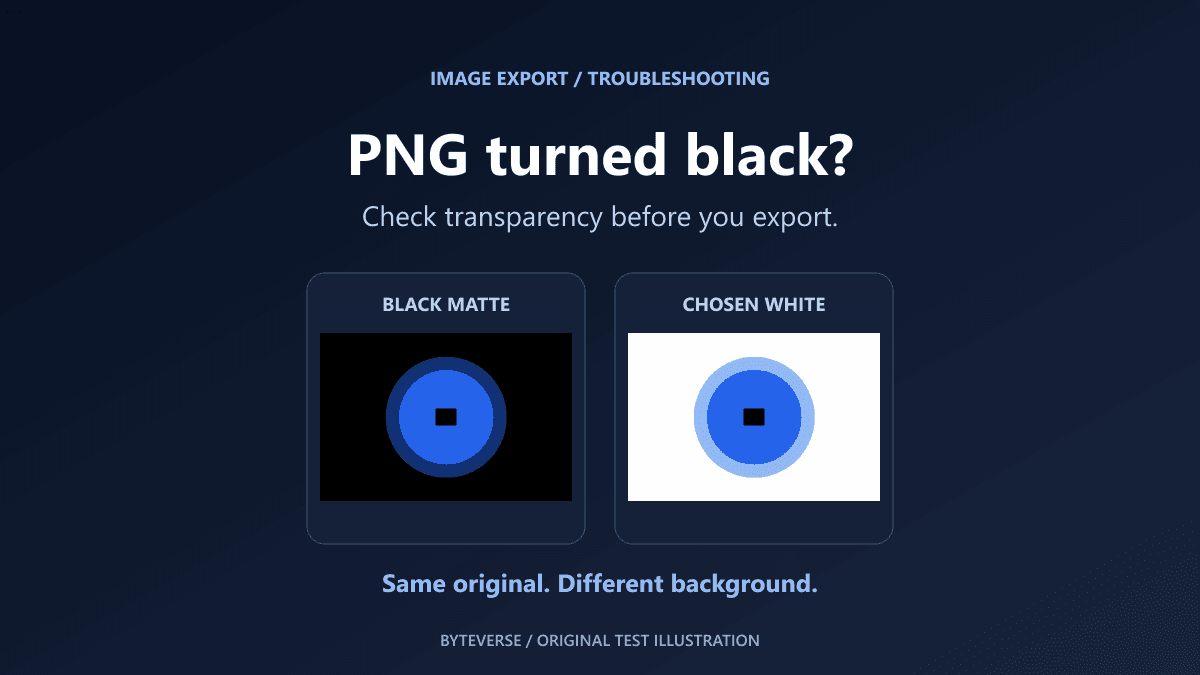
Practical default: photos in WebP or AVIF, graphics in SVG, screenshots in PNG only when text sharpness demands it. If a transparent PNG turns black after JPG conversion, see how to fix a black background after PNG-to-JPG conversion.
Step 3: Compress to the Sweet Spot
Compression quality settings run 0 to 100, and the visual difference between 100 and 80 is nearly invisible while the file size difference is enormous — often 60 to 70 percent smaller at quality 80.
Target numbers that work for almost everything:
- Hero and cover images: under 200KB, quality 78 to 85
- In-content images: under 100KB, quality 75 to 82
- Thumbnails: under 30KB
- Full-page total: all images combined under 1MB is a healthy budget
A free browser-based image compressor handles resizing, format conversion, and quality adjustment in one pass — drop images in, preview the savings, and download optimized files without uploading anything to a server. For batch workflows, build-time tools automate the same process, and if your site runs on a modern framework, our Next.js deployment guide covers how framework image components handle this automatically.
Step 4: Lazy Load Below the Fold
Images the visitor cannot see yet should not compete for bandwidth with content they are looking at right now. Native lazy loading is one attribute — loading="lazy" — and every modern browser respects it.
The critical exception: never lazy load your LCP image. The hero image at the top of the page needs the opposite treatment — eager loading and high fetch priority — because delaying it directly worsens your Core Web Vitals. The pattern: eager-load everything visible on arrival, lazy-load everything below.
Always set width and height attributes (or aspect-ratio in CSS) on every image. Reserved space is what prevents the layout jumps that destroy CLS scores when images pop in.
Step 5: Write Alt Text That Works Twice
Alt text serves accessibility first and SEO second, and writing it well serves both at once. Describe what the image shows, specifically, in one sentence — including relevant keywords only when they genuinely describe the content.
- Weak: alt="image" or alt="photo1"
- Stuffed: alt="best image optimization compress images web performance SEO"
- Right: alt="Before and after file sizes comparing JPEG and WebP compression"
Filenames matter the same way: descriptive-words-with-hyphens.webp beats IMG_4032.webp for image search. This metadata layer is part of on-page quality — the same discipline covered across our SEO-friendly blog writing guide, and it is one of the checks in a proper SEO audit.
Step 6: Deliver Through a CDN with Responsive Sizes
Serving one image size to every device wastes bandwidth on phones and undersells quality on desktops. Responsive images — the srcset attribute or framework image components — let the browser pick the right size per device from a generated set.
CDNs push this further with on-the-fly transformation: one uploaded original, automatically resized, converted to the best format per browser, and cached at edge locations near your visitors. Modern hosting platforms and frameworks include this by default, which is one reason site builders covered in our how to build a website with AI guide produce reasonably fast sites without manual work — though their defaults still benefit from the sizing and compression discipline above.
AI Images Need the Same Pipeline
Generated images arrive huge. AI image tools export at maximum dimensions and quality, so a generated hero illustration routinely lands at 2 to 4MB — beautiful, and completely unshippable as-is. Everything from the tools in our AI image generators comparison needs the same treatment: resize to display dimensions, convert to WebP, compress to the size targets above.
The same applies to edited photos from the apps in the AI photo editors roundup — AI upscaling and enhancement features increase file sizes dramatically, and the export step is where you claw those bytes back before publishing.
The Complete Workflow in Practice
For every image before it goes live:
- Resize to maximum display width (×2 for retina at most)
- Convert to WebP (or AVIF if your pipeline supports it)
- Compress at quality ~80, confirming targets: heroes <200KB, content <100KB
- Name the file descriptively with hyphens
- Add specific alt text
- Set width and height attributes
- Lazy load if below the fold; eager-load the LCP image
Seven steps, about ninety seconds per image once habitual, and it compounds into the difference between a site that feels instant and one that leaks visitors on every slow connection.
Measuring the Impact
Optimization without measurement is guesswork. After applying the workflow to your heaviest pages:
- PageSpeed Insights shows LCP improvement and flags remaining oversized images by name
- Search Console's Core Web Vitals report tracks how real-user metrics shift over the following weeks — the same data loop covered in our Google Search Console guide
- Image search impressions in Search Console's performance report (filter by Image search type) reveal whether your alt text and filename work is opening the second discovery channel
Speed gains typically appear immediately in lab tests and within a month in field data. The ranking and traffic effects follow the engagement improvements — faster pages hold visitors longer, and that behavioral signal feeds back into everything covered in our guide on getting traffic to a new blog.
Common Image Optimization Mistakes
Compressing the already-compressed. Re-saving a JPEG at quality 80 repeatedly stacks generation loss. Keep originals; export fresh from them.
Lazy loading the hero. The most common Core Web Vitals self-inflicted wound. The LCP image loads eagerly, always.
Skipping dimensions. Images without reserved space cause the layout shifts that tank CLS — one attribute prevents it.
PNG photos. A photograph saved as PNG is routinely five times larger than its WebP twin with zero visible benefit.
Alt text as keyword dump. Screen readers read it aloud; Google evaluates it for spam. Describe the image, honestly and specifically.
One giant size for all devices. Responsive srcset exists precisely so phones stop downloading desktop images.
Frequently Asked Questions
What is the best image format for websites in 2026?
WebP is the practical default: universally supported and 25 to 35 percent smaller than JPEG. AVIF is even smaller and now widely supported, making it the best choice where your pipeline can encode it. Use SVG for icons and PNG only for sharp graphics.
What size should website images be?
Resize to the largest displayed size, at most doubled for high-density screens. Practical targets: hero images under 200KB, content images under 100KB, thumbnails under 30KB, and total page images under 1MB.
Does image optimization really affect SEO?
Yes, through two paths: Core Web Vitals (LCP and CLS are ranking signals dominated by images) and image search visibility (alt text and filenames determine whether images rank at all).
Should I use quality 100 for important images?
No. Quality 78 to 85 is visually indistinguishable from 100 for photos while cutting file size by well over half. Reserve maximum quality for archival originals, not web delivery.
How do I optimize images without losing quality?
Resize to actual display dimensions first (lossless in visual terms), convert to a modern format, then compress at quality ~80. The combination typically cuts 70 to 90 percent of file size with no visible difference at normal viewing sizes.
Final Recommendation
Image optimization is the highest-leverage ninety seconds in web performance. Adopt the seven-step workflow for every new image, then spend one afternoon fixing your ten heaviest existing pages — PageSpeed Insights will name the worst offenders for you.
The sites that feel fast in 2026 are not running secret infrastructure; they are consistently shipping 100KB images where their competitors ship megabytes. Build the habit, measure the shift in your Vitals report, and let the compounding begin.
Share this article
Written by
Ali RehmanAuthor at ByteVerse
A Full Stack Developer and Tech Writer specializing in React.js, Next.js, and modern JavaScript, sharing insights on web development, frontend technologies, backend APIs, and scalable applications.
View all posts