Ollama pull model manifest Error: What Each Message Means
Every ending of the Ollama error "pull model manifest" explained from the 0.40.17 source and live registry tests: file does not exist, 412, ssh: no key found, network and certificate errors, and the Hugging Face 400, 401 and realm host replies, each with its fix.
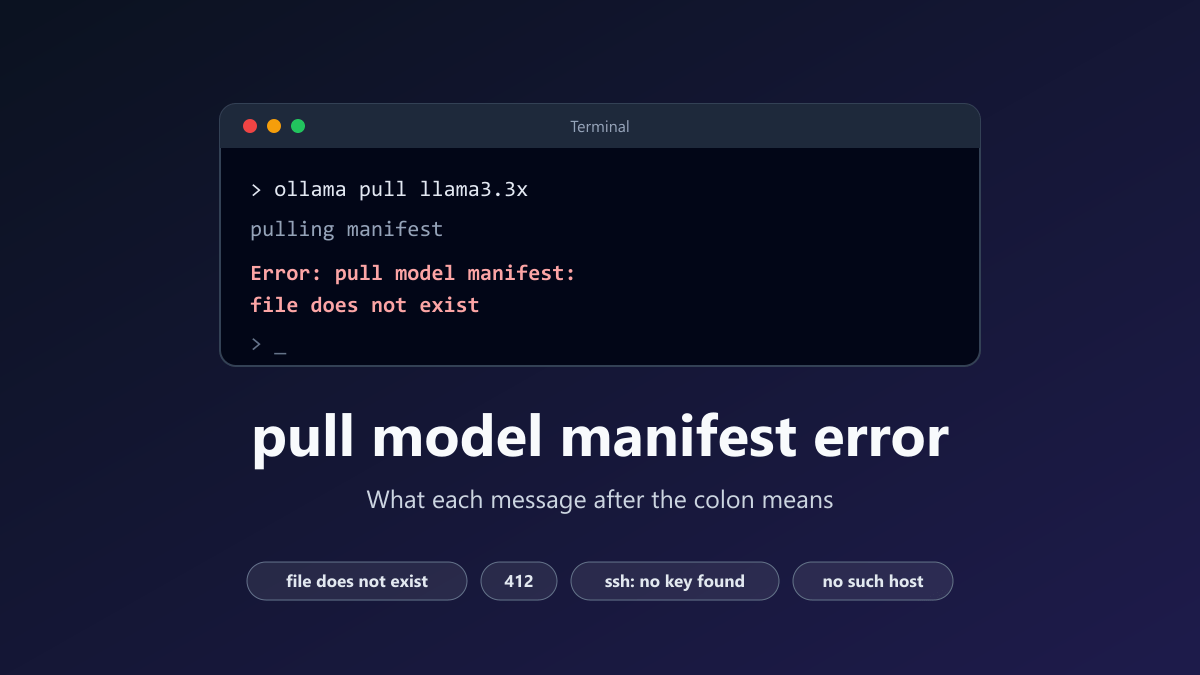
- 1The text after the second colon is the real cause: file does not exist means the registry has no such name and tag, 412 means Ollama is too old for the model, and a line with Get https is a network problem
- 2The manifest request is sent by the Ollama server and signed with its key file on every pull, so proxy, DNS and key fixes belong to the server process, not the terminal
- 3Registry tests on 22 November 2026 showed 404 for wrong names and tags, 412 for gemma4 from an old version, and 400 or 401 replies from Hugging Face
"Error: pull model manifest" means Ollama could not fetch the manifest, the short list of files a model is made of. The words after the second colon are the real cause. file does not exist means the registry has no model with that name and tag. 412 means your Ollama is too old for that model. A line that continues with Get "https:// is a network problem between your Ollama server and the registry.
Most pages cover one of these endings at a time. This guide lists them together, because the first half of the message never changes and only the ending tells you what to do.
I checked each ending in two ways on 22 November 2026. First I went through the 0.40.17 source code, which was the newest release that day. Then I sent the manifest requests that a pull sends to the public registries with a small script, to see what they really answer. Readers who have not installed Ollama yet will find the setup in the guide to running AI locally.
Find the text after the colon
Text after pull model manifest: | What it means | What to do |
|---|---|---|
file does not exist | The registry has no model with that name and tag | Check the spelling, the tag and the user prefix |
412: and "requires a newer version of Ollama" | The registry refuses your Ollama version for this model | Update Ollama |
ssh: no key found | The key file of the Ollama server is empty or damaged | Move the key file away and restart Ollama |
Get "https://..." ending in no such host | The address of the registry could not be looked up | Fix DNS on the machine that runs the server |
Get "https://..." ending in i/o timeout | The network gave no answer in time | Check firewall, VPN and proxy |
Get "https://..." ending in x509: certificate signed by unknown authority | The certificate that arrived is not trusted, often because a proxy re-signs HTTPS traffic | Install that certificate on the system |
400: and "Repository is not GGUF" | The Hugging Face repository has no GGUF file | Pick a GGUF repository |
400: and "not a valid quantization scheme" | The tag is not a quantization in that repository | Use a tag the repository offers, or no tag |
401: and "Invalid username or password." | The Hugging Face repository is private, gated or misspelled | Check the name, then add your key to Hugging Face |
realm host "huggingface.co" does not match original host "hf.co" | The same situation on Ollama 0.14.3 and newer | See the Hugging Face section below |
unauthorized: access denied | The registry refused twice, even with a fresh token | Sign in with ollama signin if the model is private |
Each row has its own section below. Start with the next one, because it explains why the fixes are applied to the server and not to your terminal.
What a manifest is and who asks for it
A model in Ollama is stored as several files called layers. The manifest is a short JSON file that lists those layers by their checksums. The one the registry sent me for llama3.2 was 1,005 bytes long.
A pull begins by fetching that file, while the terminal shows "pulling manifest". If the request fails, the pull code puts "pull model manifest:" in front of the reason and stops. Nothing has been downloaded at that point.
The address is built from the model name. The name rules fill in three defaults: the host registry.ollama.ai, the namespace library and the tag latest. So ollama pull llama3.2 asks for this address:
https://registry.ollama.ai/v2/library/llama3.2/manifests/latest
Two details explain most of the confusion that follows.
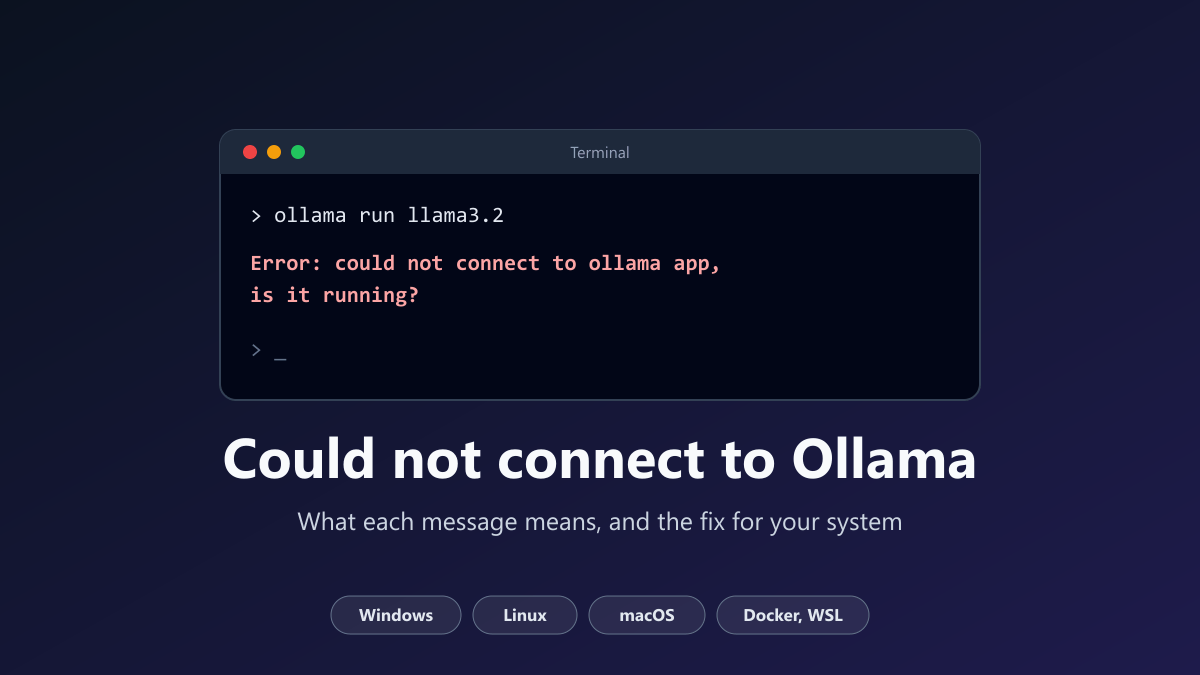
First, the request is sent by the Ollama server, not by the terminal you type in. On Windows and macOS the server is the desktop app. On Linux it is usually a systemd service that runs as its own user, named ollama. Proxy settings, DNS and the key file must be right for that process. I described these two parts more fully in the article on could not connect to Ollama.
Second, the registry asks for a token before it answers. In my test, every request to registry.ollama.ai that identified itself as Ollama first got a 401 reply with a token address, even for public models such as llama3.2. The server then signs a token request with its key file and asks for the manifest again. You never notice this step unless it fails.
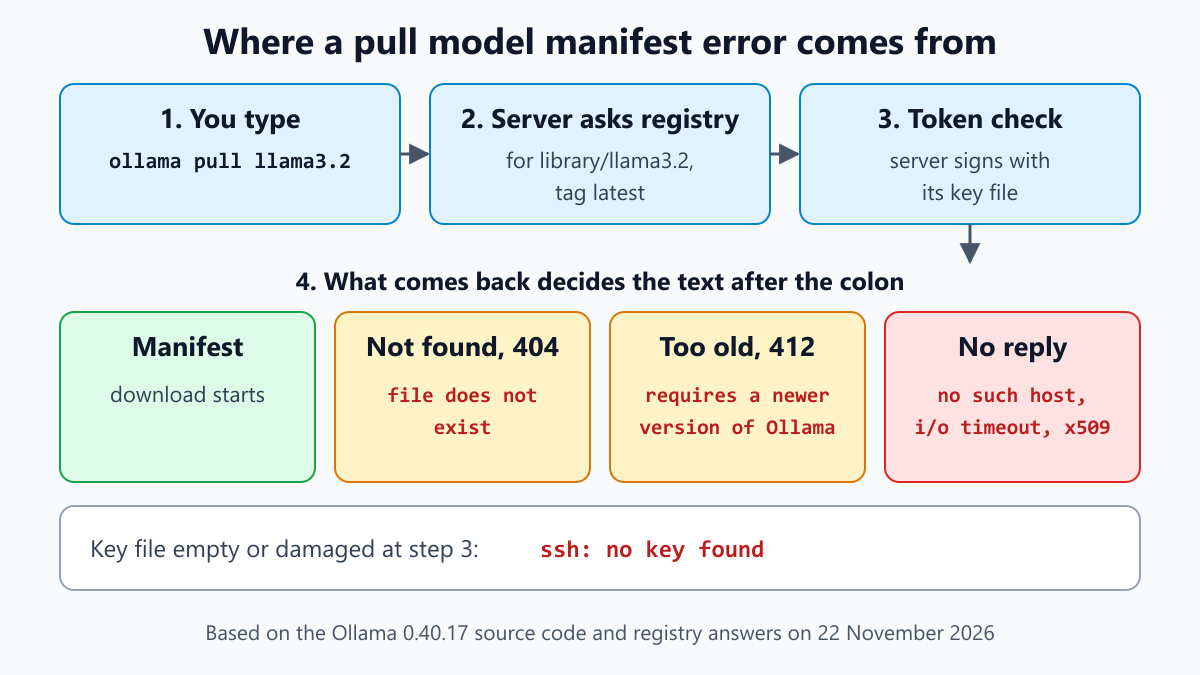
ollama run can end in the same error. When the model is not on your disk, it pulls the model first, as the command source shows.
What the registries answered in my test
| Request | Registry answer | Text after pull model manifest: |
|---|---|---|
llama3.2 | 200 and a manifest | None, the download starts |
llama3.2:99b, a tag that does not exist | 404 | file does not exist |
llama3.2x-notreal, a name that does not exist | 404 | file does not exist |
Llama3.2 with a capital L | 200 and a manifest | None, the capital letter made no difference |
gemma4, sent the way Ollama 0.20.0 sends it | 412 | 412: and the newer version text |
gemma4, sent the way Ollama 0.35.1 sends it | 200 and a manifest | ✗ None |
llama3.2, sent the way Ollama 0.1.30 sends it | 200 and a manifest | ✗ None |
hf.co/openai-community/gpt2 | 400 | 400: and "Repository is not GGUF" |
hf.co/bartowski/Llama-3.2-1B-Instruct-GGUF:Q99_Z | 400 | 400: and "not a valid quantization scheme" |
hf.co/nouser-zz91/nomodel-zz91, which does not exist | 401 | Depends on the Ollama version |
For each row, my script sent one manifest request to the address Ollama builds, with the version and format headers that the named Ollama version sends. Where the registry asked for a token, the script completed that step with a throwaway key, then read the status code and the reply. No model files were downloaded.
Ollama itself was not running. The right-hand column therefore comes from the source code, which turns each answer into a message.
file does not exist
This is the most common ending, and its wording misleads. No file on your computer is missing. The registry answered 404, which means "not found". Ollama turns a 404 into the standard not-found error of the Go language, and the text of that error happens to be "file does not exist".
So the name and tag, exactly as they were sent, are not in the registry. Common causes:
- A misspelled name. One wrong character is enough.
- A tag that does not exist. Every model has its own list of tags. A size or variant that one model offers may be missing for another.
- A community model without its user prefix. Models uploaded by users are named
user/model. Without the prefix, Ollama looks underlibrary. - A Hugging Face model without the host. Those need
hf.co/in front of the name. - A model that exists only in the cloud. Some names have a
:cloudtag and no default tag. - A model that was renamed or removed.
To check a name, open the Tags page of the model on ollama.com, for example the tags of llama3.2, and copy the name from there.
For the cloud case, Ollama 0.40.17 helps. Suppose you asked for a model with no tag and only a :cloud version of it exists. In a terminal you then get the question Did you mean "name:cloud"?. In a script, the error gains an extra line that names the cloud model. The suggestion code shows the exact rules.
Remember that ollama list shows only what is already on your disk, in the Ollama models folder. A model can be missing there and still exist in the registry, or the other way round.
412: requires a newer version of Ollama
The full message looks like this. The first line follows the format in the source code, and the rest is the reply the registry sent to my script:
Error: pull model manifest: 412:
The model you are attempting to pull requires a newer version of Ollama.

Please download the latest version at:

	https://ollama.com/download
The text is written by the registry, not by your copy of Ollama. Every request carries the version number of the Ollama that sends it, and the registry decides per model.
My test shows that clearly. A request for gemma4 in the form that Ollama 0.20.0 sends got the 412 reply. The same request in the form of 0.35.1 got the manifest. A request for llama3.2 was accepted even from the very old 0.1.30. So the limit belongs to the model, and older models keep working on older versions.
The fix is to update. The FAQ describes it: on Windows and macOS, click the tray or menu bar icon and choose "Restart to update", or install the current download. Linux users repeat the install command:
curl -fsSL https://ollama.com/install.sh | sh
Then check which version is really running:
ollama -v
If this prints two lines, an "ollama version is" line and a "Warning: client version is" line, your server and your command line tool differ. The first line is the server. It sends the request, so it is the one that counts.
This happens when Ollama runs in Docker or as a service and only the command line tool was updated. With Docker, pull the newer image and create the container again. See Docker for beginners if that is unfamiliar.
If you are on the latest release and still get 412, the model may need a pre-release. The FAQ explains how to install one from the preview channel.
ssh: no key found
Ollama keeps a key pair in a folder named .ollama, inside the home folder of the user that runs the server. The private key is the file id_ed25519. When the server starts and that file is missing, it creates a new one.
The server signs every token request with this key, as the signing code shows. Because the registry asked for a token on every request in my test, a broken key stops every pull, including public models.
"ssh: no key found" means the file is there but holds no key. It may be empty or damaged. Since the file exists, the server does not replace it. The fix is to move it out of the way and restart Ollama. A user in this GitHub issue confirmed that removing the key solved it.
| System | Folder with the key files |
|---|---|
| Windows | C:\Users\<username>\.ollama |
| macOS | ~/.ollama |
| Linux service | /usr/share/ollama/.ollama |
| Docker | /root/.ollama inside the container |
On Linux with the standard service:
sudo systemctl stop ollama
sudo mv /usr/share/ollama/.ollama/id_ed25519 /usr/share/ollama/.ollama/id_ed25519.bak
sudo mv /usr/share/ollama/.ollama/id_ed25519.pub /usr/share/ollama/.ollama/id_ed25519.pub.bak
sudo systemctl start ollama
On Windows, quit Ollama from the taskbar first, then run this in PowerShell and start Ollama again:
Rename-Item "$env:USERPROFILE\.ollama\id_ed25519" id_ed25519.bak
Rename-Item "$env:USERPROFILE\.ollama\id_ed25519.pub" id_ed25519.pub.bak
The new key is a different key. If you had added the old public key to your ollama.com account or to Hugging Face, sign in or add the new one again.
A related ending begins with open and names the same file. In that case the server could not read the file at all, usually because the folder belongs to another user.
Network endings: no such host, i/o timeout and certificate errors
These messages are not written by Ollama. They come from the network code of the Go language, and Ollama only puts its prefix in front. Two real examples from GitHub issues:
pull model manifest: Get "https://registry.ollama.ai/v2/library/mixtral/manifests/latest": dial tcp: lookup registry.ollama.ai on 172.25.96.1:53: read udp 172.25.107.139:59735->172.25.96.1:53: i/o timeout
pull model manifest: Get "https://registry.ollama.ai/v2/library/mixtral/manifests/latest": tls: failed to verify certificate: x509: certificate signed by unknown authority
The first is from issue 2818, the second from issue 1798. Read the end of the line:
- no such host means the address of the registry could not be looked up. That is a DNS problem.
- i/o timeout means a request got no answer in time. In the first example even the DNS lookup timed out. A firewall, a VPN or a missing proxy setting are the usual causes.
- x509: certificate signed by unknown authority means the certificate that arrived is not trusted. This is typical for company networks and security tools that inspect HTTPS traffic.
Test the connection from the machine that runs the server. In Windows PowerShell, type curl.exe instead of curl:
curl -I https://registry.ollama.ai/v2/library/llama3.2/manifests/latest
On my connection the first line of the answer was HTTP/1.1 200 OK. If curl succeeds and Ollama still fails, the difference is the environment of the server process.
Behind a proxy, the FAQ says to set HTTPS_PROXY for the server and to avoid HTTP_PROXY. For the Linux service, open the override file with systemctl edit ollama.service and put these two lines in it:
[Service]
Environment="HTTPS_PROXY=https://proxy.example.com"
Reload systemd with systemctl daemon-reload, then restart the service with systemctl restart ollama. Windows users set the same variable under the environment variables of their account, quit Ollama and open it again. A variable that exists only in your terminal has no effect, since the terminal is not what contacts the registry.
For the certificate error, the FAQ says the proxy certificate has to be installed as a system certificate. For Docker it gives this image recipe:
FROM ollama/ollama
COPY my-ca.pem /usr/local/share/ca-certificates/my-ca.crt
RUN update-ca-certificates
If Ollama runs inside WSL, the network settings of WSL apply, not those of Windows. For readers new to WSL, the WSL setup guide is the place to begin.
One more message belongs to a later step. "max retries exceeded" appears after the manifest has arrived, when one part of the download has failed six times. The cause is usually the same network, as the download code suggests.
Hugging Face models: 400, 401 and realm host
Ollama can pull GGUF models straight from Hugging Face. The Hugging Face guide gives the form ollama run hf.co/{username}/{repository}, and a tag selects the quantization. These are the three replies I received:
400: {"error":"Repository is not GGUF or is not compatible with llama.cpp"}
400: {"error":"The specified tag is not a valid quantization scheme. Please use another tag or \"latest\""}
401: {"error":"Invalid username or password."}
The first means the repository holds no GGUF file. Many model repositories contain only the original weights. Look for a repository with GGUF in its name or file list.
The second means the tag after the colon is not a quantization that the repository offers. I got it for the invented tag Q99_Z. The tag Q8_0 on the same repository worked. Leave the tag out to get the default.
The third is the confusing one. I received it for a repository name that I made up, so a typo produces it as well as a private or gated repository. Check the spelling first. For your own private repository, the guide says to add your Ollama public key to your Hugging Face account.
What you see for that 401 depends on your Ollama version. Up to 0.14.2, the 401 line above is printed, as in issue 8045. From 0.14.3, the token code refuses to send its signature to a different host than the one in the model name. Hugging Face names huggingface.co as the token host, so a pull from hf.co stops with:
Error: pull model manifest: realm host "huggingface.co" does not match original host "hf.co"
That exact line is reported in issue 15661, which was still open on 22 November 2026. The Hugging Face guide says both hf.co and huggingface.co work as the host. Going by the code, the long form passes the host check. I could not test that with a private repository.
The same check can fail for other hosts. Issue 17361 reports it for registry.ollama.ai, and its author later wrote that it stopped by itself. In my test the registry named its own host, so ordinary pulls were not affected.
Before you pull again
Four quick checks cover most cases:
- Run
ollama -vand read the server version. - Compare the model name and tag with the Tags page on ollama.com.
- Run the curl test above on the machine, container or WSL system where the server runs.
- Read the server log. Network failures are logged with the words "request failed". The troubleshooting page lists where the log is on each system.
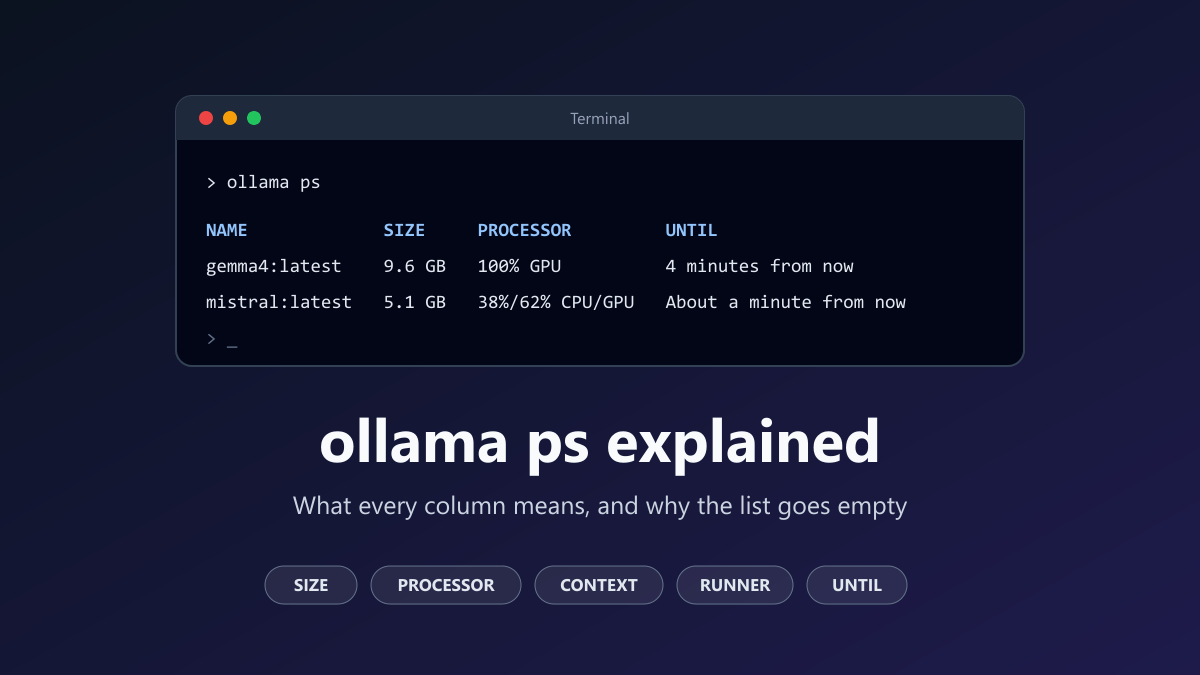
Once the pull works, ollama ps shows whether the model loaded onto your GPU. The guide to ollama ps explains that table.
Frequently Asked Questions
What does "pull model manifest: file does not exist" mean?
Nothing exists in the registry under the name and tag that were requested. It answered with a 404, and Ollama shows that as file does not exist. No file on your computer is missing. Check the spelling, the tag, and whether the model needs a user prefix or the hf.co host in front. The Tags page of the model on ollama.com shows the valid names.
How do I fix pull model manifest 412?
Update Ollama. The registry sends 412 when a model needs a newer Ollama than the one that asked. On Windows and macOS, choose Restart to update from the tray or menu bar icon, or install the current download. Linux users repeat the install command. What matters is the version of the server, so update the service or the Docker image, not only the command line tool.
What does "ssh: no key found" mean in Ollama?
The key file that the Ollama server signs its registry requests with is empty or damaged. Every pull uses it, so no model can be downloaded. Stop Ollama, move the two key files out of the .ollama folder of the user that runs the server, and start Ollama again. It creates a new key when none is found.
Why does ollama pull say no such host?
The computer that runs the Ollama server could not look up the address of the registry. That is a DNS problem, not a fault in Ollama. Test the internet connection and the DNS settings on that machine, in that container or inside WSL. A VPN or a filter that blocks the registry address gives the same result.
Why do I get pull model manifest 401 with a Hugging Face model?
Hugging Face sends 401 with the text Invalid username or password when a repository is private, gated or does not exist. Check the spelling of the user and the repository first. For your own private repository, add your Ollama public key to your Hugging Face account. Newer Ollama versions show a realm host message for the same situation.
Does ollama run show the same error?
Yes. When the model is not on your disk, ollama run pulls it first, so it can fail with the same message. The cause and the fix are the same as for ollama pull. If the model is already on your disk, the registry is not contacted and the error does not appear.
Verification Notes
I took the message format, the name defaults, the token step, the key handling and the cloud suggestion from the 0.40.17 source code, the newest release on 22 November 2026. For the 0.14.3 boundary I compared the token code of 0.14.2 and 0.14.3.
The registry answers come from 22 test requests that I sent to registry.ollama.ai, hf.co and huggingface.co on that day. The script completed the token step with a throwaway key that was never saved. A first run used a wrong format header and gave a different answer for one row, so I repeated every row with the header each version really sends.
The curl command and the two PowerShell rename commands were run on Windows 11, the rename commands in a test folder.
Ollama was not installed for this article, which is why it has no screenshots. I also did not run the Linux commands. The network messages are quoted from GitHub issues because I could not reproduce a broken network safely. Registries can change their answers at any time, so treat the test table as a snapshot of one day.
Sources and Further Reading
- Ollama documentation: FAQ, with updates, proxy settings and key locations, and Troubleshooting, with log locations.
- Hugging Face documentation: Use Ollama with any GGUF model.
- Ollama 0.40.17 source: pull and manifest requests, token request and key signing.
- Ollama 0.40.17 source: commands, cloud suggestion, name defaults and download retries.
- GitHub issues quoted above: #10412, #2818, #1798, #8045, #15661 and #17361.
Share this article
Written by
Ali RehmanAuthor at ByteVerse
A Full Stack Developer and Tech Writer specializing in React.js, Next.js, and modern JavaScript, sharing insights on web development, frontend technologies, backend APIs, and scalable applications.
View all posts