How to Run AI Locally in 2026 (No GPU, No Subscription)
Run ChatGPT-class AI on your own computer — free, private, and offline. This beginner guide covers LM Studio, Ollama, the right model for your RAM, and phones too.

- 1You do not need a GPU or a subscription to run real AI locally in 2026 — 8GB of RAM runs capable small models, 16GB runs the 7-8B class that handles most everyday tasks well.
- 2LM Studio is the beginner door (graphical, model search built in) and Ollama is the tinkerer door (terminal, scriptable, connects to editors and web UIs) — both free, both cross-platform.
- 3Local AI trades frontier intelligence and live web access for total privacy, zero cost, offline use, and no rate limits — the right mental model is a capable junior assistant that never phones home.
Every message you send to ChatGPT travels to someone else's computer, gets processed under someone else's terms, and costs someone money that eventually becomes your subscription. In 2026 there is a genuine alternative: open-weight models small enough to run on the laptop you already own, tools that install them in two clicks, and quality that crossed the "actually useful" line about two years ago. No GPU. No account. No internet after the first download. No monthly fee.
This guide is the complete beginner path: why local AI is suddenly practical, the honest hardware requirements (spoiler: your RAM matters, your GPU mostly does not), step-by-step setup with the two tools that dominate in 2026 — LM Studio and Ollama — which model to download for your machine, what phones can do now, and the honest limits nobody selling you a "private ChatGPT" course will mention.
Why Run AI Locally at All?
Five reasons drive the local AI movement, and they compound:
Privacy that is architectural, not contractual. Cloud AI privacy is a promise in a terms-of-service document; local AI privacy is physics — the prompt never leaves your machine. For journals, contracts, client work, medical questions, or anything under NDA, that difference is categorical. It is the same logic that makes a password manager safer than a spreadsheet: the design removes the trust requirement instead of managing it.
Free forever, at the margin. After the one-time model download (2–8 GB typically), every conversation costs exactly zero — no subscription, no per-token API bill, no rate limits, no "you have reached your daily limit" at the worst moment. Heavy users of ChatGPT-class tools routinely offload high-volume, low-stakes work (summaries, drafts, reformatting) to a local model and keep the paid tier for the hard 10 percent.
Offline is a feature. Planes, trains, unreliable connections, countries where services are blocked — a local model works identically everywhere, which makes it the only AI a traveler can actually rely on.
No model rug-pulls. Cloud models change under you — behavior shifts, features vanish behind new tiers, the model you built a workflow on gets deprecated. A local model file is yours permanently; it behaves the same in five years.
It is the best AI education available. Running models yourself teaches you what context windows, quantization, and temperature actually do — knowledge that transfers directly to every cloud tool and to any serious AI learning path.
Who should skip it: if you only ask AI a few questions a week, need frontier-level reasoning every time, or want live web answers, cloud tools remain the right lane — the free alternatives comparison covers that side of the fence.
The Hardware Truth: RAM Decides, GPU Accelerates
The single biggest myth stopping people: "you need an expensive GPU." False in 2026. Modern runtimes execute models on your CPU using ordinary RAM, and small models are optimized to make that pleasant. A GPU (or Apple Silicon's unified memory) makes responses faster — it does not gate entry.
What actually decides your ceiling is memory, because the entire model must fit in it:
| Your machine | What runs comfortably | Real-world experience |
|---|---|---|
| 8 GB RAM | 3–4B models (quantized) | Solid summaries, drafts, Q&A — a bright intern |
| 16 GB RAM | 7–9B models | The sweet spot — handles most daily tasks well |
| 32 GB RAM | 13–14B models | Noticeably deeper reasoning, better code |
| Apple Silicon (M-series) | Punches one tier up | Unified memory makes Macs the best budget local-AI machines |
| Any NVIDIA GPU (6 GB+ VRAM) | Same sizes, 3–10x faster | Speed luxury, not a requirement |
Two practical notes. First, Apple Silicon Macs are quietly the best beginner hardware for local AI — the unified memory architecture lets even a base MacBook Air run 7–8B models smoothly, one of several reasons they dominate the coding laptop rankings. Second, close your browser's 40 tabs before running a model on 8 GB — the model shares RAM with everything else.
The word that makes this all work is quantization: compressing a model's numbers from high precision to low (you will see files labeled Q4, Q5, Q8). A Q4 quantization shrinks a model to roughly a quarter of its original size with a surprisingly small quality loss — it is the reason an 8-billion-parameter model fits in 5 GB and runs on a normal laptop. Beginner rule: download the Q4_K_M version of any model — it is the community-agreed sweet spot of size versus smarts, and every tool below defaults sensibly anyway.
Door #1: LM Studio (The Beginner's Choice)
LM Studio is a free desktop app (Windows, Mac, Linux) that makes local AI feel like using any chat app — graphical interface, built-in model search, one-click downloads, and a chat window with your conversation history. It is unambiguously where beginners should start.
Setup in four steps:
- Download from lmstudio.ai and install like any app.
- Find a model: the search tab lists the entire open-model universe. Search "Llama 3.2 3B" (8 GB machines) or "Llama 3.1 8B" / "Qwen 2.5 7B" (16 GB). LM Studio marks which versions fit your hardware — green means go.
- Download the recommended quantization (it suggests Q4 variants automatically, usually 2–5 GB).
- Open the chat tab, load the model, type. That is genuinely all. Responses stream in at reading speed on most modern laptops.
Three settings worth knowing on day one: context length (how much conversation the model remembers — raise it for long documents, at the cost of RAM), temperature (creativity dial — lower for factual work, higher for brainstorming), and system prompt (standing instructions, exactly like custom instructions in cloud chatbots — your prompt engineering habits transfer completely, and matter more with small models, which reward precise instructions and stumble on vague ones).
LM Studio also runs a local API server in one click — meaning apps that expect an OpenAI-style endpoint can talk to your local model instead. That single feature turns it from a chat toy into infrastructure.

Door #2: Ollama (The Tinkerer's Choice)
Ollama trades the graphical interface for speed, scriptability, and an ecosystem. Install it (ollama.com — Windows, Mac, Linux), open a terminal, and:
ollama run llama3.2
That one command downloads the model on first run and drops you into a chat. The command vocabulary is tiny and covers everything the autocomplete data says people search for:
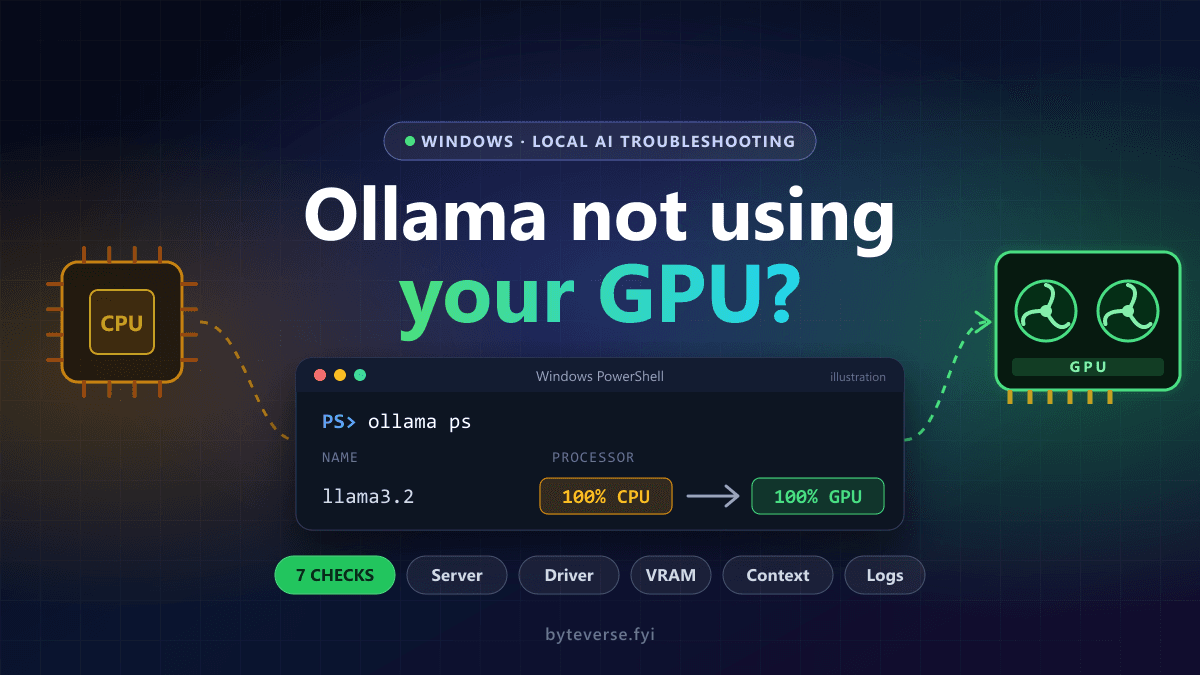
ollama pull qwen2.5:7b— download a model without chattingollama list— see what you have installedollama rm modelname— delete a model and free the disk spaceollama ps— see what is loaded in memory; if its PROCESSOR column says CPU on a machine with a supported GPU, our guide to diagnose Ollama GPU detection and CPU fallback walks through the checks/set parameter num_ctx 8192— raise the context window inside a session
Why choose the terminal route? Integration. Ollama runs quietly as a background service with a standard API, which makes it the engine behind a whole ecosystem: Open WebUI gives it a polished ChatGPT-style web interface (with document upload and multi-user support), editor extensions connect it to VS Code so your AI coding assistant autocomplete runs entirely offline, and automation scripts can call it like any API — every pattern in the free API playbook works against an endpoint that costs nothing and never rate-limits you.
The honest comparison — since "LM Studio vs Ollama" is one of the most-searched questions in local AI:
| LM Studio | Ollama | |
|---|---|---|
| Interface | Full GUI, chat history, model browser | Terminal (+ optional web UIs) |
| Setup to first chat | ~5 minutes | ~3 minutes |
| Best for | Beginners, visual model comparison | Automation, coding integration, servers |
| Ecosystem | Self-contained | Huge (Open WebUI, editor plugins, agents) |
| Both | Free, cross-platform, run the same models, expose OpenAI-style APIs |
The real answer: start with LM Studio to learn what models feel like; add Ollama the day you want your editor, scripts, or a web UI talking to a model. Most local-AI people end up with both installed, and they coexist happily.
Which Model Should You Download in 2026?
Model names change monthly; the selection logic does not. Match the model class to your job and your RAM:
| Use case | What to look for | Size class |
|---|---|---|
| General chat, writing, summaries | Latest Llama / Qwen / Gemma instruct model | 7–9B (16 GB) or 3–4B (8 GB) |
| Coding help | Code-tuned models (Qwen Coder class) | 7B+ for real usefulness |
| Long documents | Models advertising large context windows | Any, with num_ctx raised |
| Absolute minimum hardware | 3B-class instruct models | Runs on nearly anything |
| Uncensored creative writing | Community fine-tunes | Check licenses |
Three habits that save disappointment. Read the model card (every model page states sizes, strengths, and license — most are free for personal and commercial use, but check). Try two or three — models have personalities, and the "best" one for your writing voice is an empirical question; LM Studio makes side-by-side trials trivial. Update quarterly — open models improve fast, and the 7B you download next spring will beat the 14B from last year; deleting old models is one command.
For coding specifically, temper expectations honestly: a local 7B coding model is a competent autocomplete and boilerplate engine — genuinely useful offline — but it is not going to replace the frontier models inside Cursor-class editors for complex refactoring. Hybrid is the professional pattern: local for the constant small stuff, cloud for the hard stuff.
For a clear decision on when to use DeepSeek's hosted free service versus download its open-weight models locally, read our DeepSeek beginner guide.
Phones, Briefly — Yes, Really
The autocomplete data says everyone asks, so: modern flagships run 1–4B models on-device in 2026. On Android, apps like PocketPal and the llama.cpp-based runners load small models directly; iPhones run the same class through apps built on Apple's on-device stack. Expect intern-grade help — summaries, quick drafts, private Q&A — not desktop quality, and expect battery drain during long sessions. It is a glovebox tool, not a workshop; the Android AI app roundup covers the on-device options alongside the cloud apps.
What Local AI Honestly Cannot Do
Set expectations correctly and local AI delights; set them wrong and it disappoints in a week. The trade-offs, plainly:
- It is not frontier-smart. A 7B local model is roughly "very capable assistant," not "PhD in everything." Complex multi-step reasoning, subtle nuance, and long flawless code are still cloud territory.
- It knows nothing after its training date and cannot browse. Live answers with citations remain the job of AI search engines; local models complement them, not replace them.
- First-token patience. On CPU-only machines, long prompts take a few seconds to start responding. (This is where GPUs and Apple Silicon shine.)
- You are the safety team. No cloud moderation also means no cloud guardrails — fine for adults doing normal work, worth knowing if kids share the machine.
- Hallucination does not disappear. Smaller models invent more confidently than frontier ones, not less. The verify-everything rule from the AI scam-era literacy playbook applies double: local means private, not infallible.
The correct mental model: a tireless, private, free junior assistant. Give it the volume work and the sensitive work; send the genuinely hard problems to the big models — ideally with the sensitive details stripped.
Level Up: Your Documents, Privately
The most requested local workflow in 2026 is "private NotebookLM": chat with your own files without uploading them anywhere. Open WebUI (on Ollama) and LM Studio's document features both do basic retrieval — drop in PDFs, ask questions, get grounded answers with the relevant chunks surfaced. Quality trails NotebookLM's polish — citations are looser, synthesis is shallower — but the privacy is absolute, which for contracts, medical records, and client files is the entire point. For the technically ambitious, this rabbit hole leads to full local RAG pipelines — the architecture behind our Python agent tutorial runs happily against a local model, making a fully offline research agent a weekend project.
Frequently Asked Questions
Can I really run AI locally without a GPU?
Yes — modern runtimes (LM Studio, Ollama, both built on llama.cpp) run models on ordinary CPUs and RAM. A GPU or Apple Silicon makes responses 3–10x faster but is not required. The real requirement is RAM: 8 GB runs 3–4B models, 16 GB runs the 7–9B sweet spot.
Is running AI locally actually free?
Completely. The tools are free, the open-weight models are free downloads (2–8 GB), and there are no subscriptions, tokens, or rate limits. Your only costs are disk space and ordinary electricity.
What is the best local AI model for 8 GB of RAM?
A 3–4B instruct model at Q4 quantization — the current Llama, Qwen, or Gemma small model when you read this. In LM Studio, filter by "fits your hardware" and pick the newest 3B-class instruct model; expect solid summaries, drafts, and Q&A.
Is local AI private and safe?
Private by architecture — prompts never leave your machine, nothing is logged to any server, and airplane mode changes nothing. Safe with normal caveats: download models through LM Studio or Ollama's official libraries, and remember small models still hallucinate — verify facts before acting on them.
Can local AI replace my ChatGPT subscription?
For high-volume everyday work (summaries, drafts, rewrites, casual Q&A) — often yes. For frontier reasoning, live web research, and image generation — not yet. The pattern that wins in 2026 is hybrid: local for the private 80 percent, cloud for the hard 20 percent.
Bottom Line
Local AI in 2026 is what personal computing keeps being at its best: capability you own instead of rent. The entry cost has collapsed to a five-minute install — LM Studio if you want a chat window, Ollama if you want an engine — and a single Q4 model matched to your RAM. Start tonight with the machine you already have: install one tool, download one 3B or 7B model, and give it the task you would never paste into a cloud chatbot. That first fully private, fully offline, completely free answer rearranges your sense of what your laptop is for — and everything after it is just adding models.
Share this article
Written by
Ali RehmanAuthor at ByteVerse
A Full Stack Developer and Tech Writer specializing in React.js, Next.js, and modern JavaScript, sharing insights on web development, frontend technologies, backend APIs, and scalable applications.
View all posts